Know your riding.
Upload your rides from Wahoo, Garmin or Strava. Cranklytics shows your best power, your rider type, an estimate of your FTP, and how you are progressing. It is free and private to your account.
How to get started QuestionsSee it
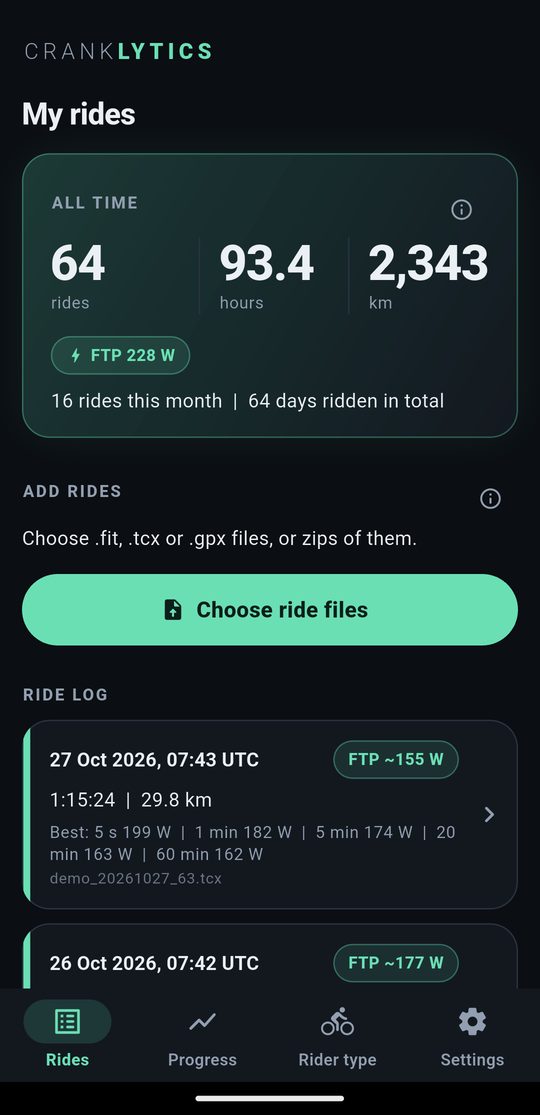
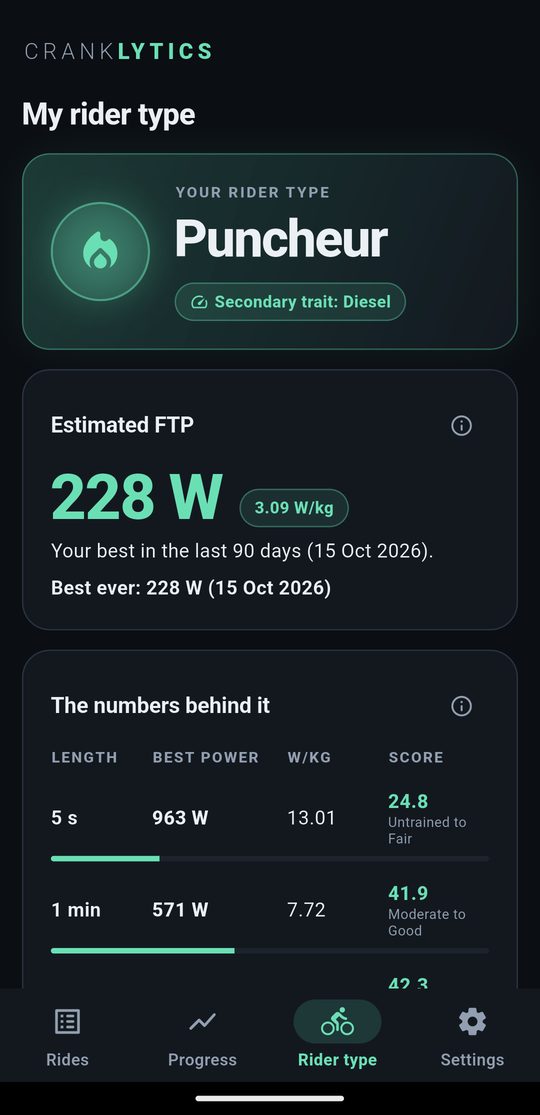
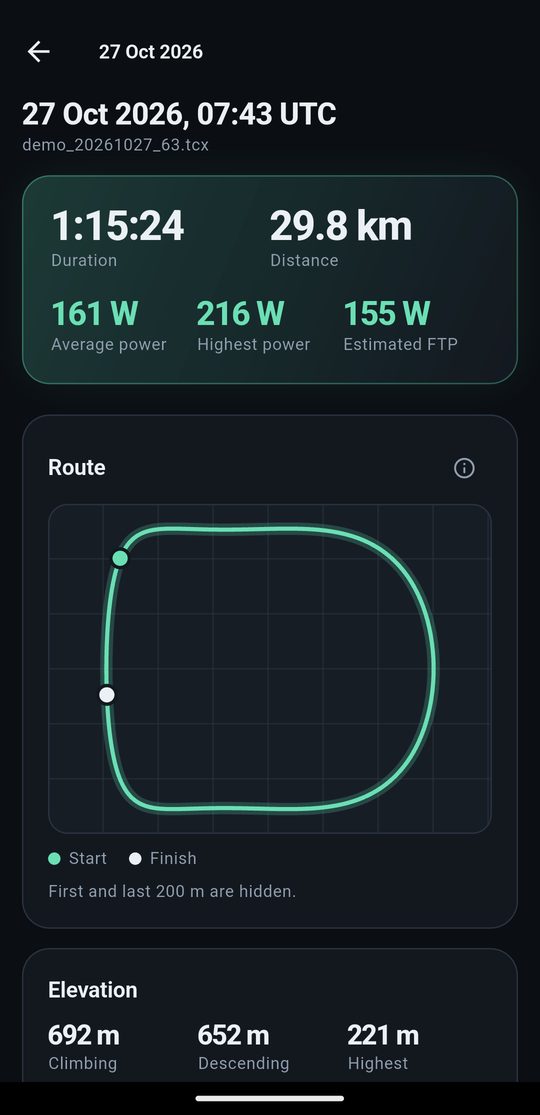
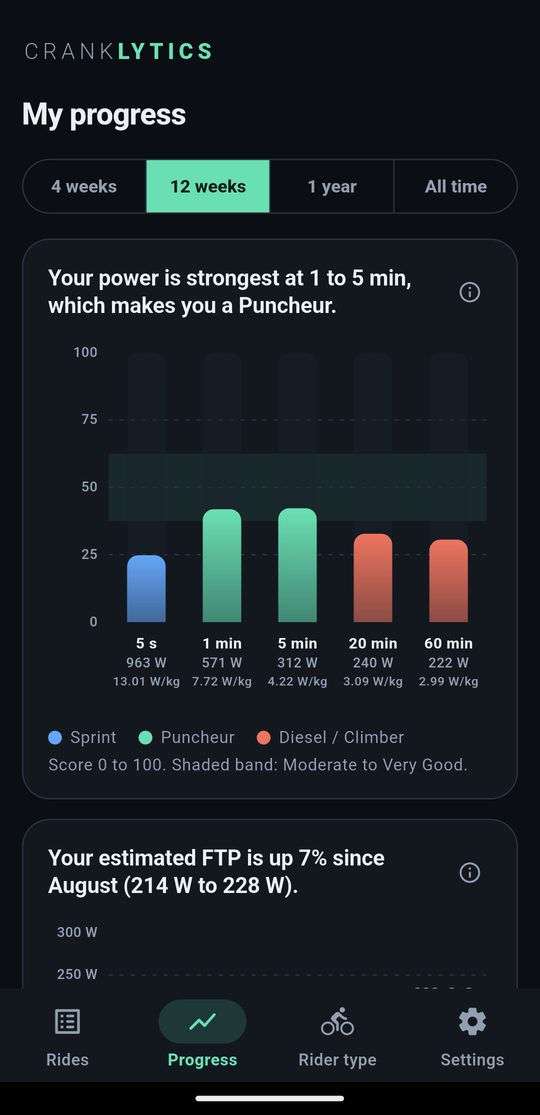
Screenshots use made-up demo rides.
What you get
Best power
Your best 5 second, 1, 5, 20 and 60 minute power from every ride you upload.
Rider type
Sprinter, Puncheur, Diesel or Climber, scored against a reference table for your weight and sex.
Estimated FTP
Worked out from your best 20 minutes over the last 90 days. Always an estimate.
Ride screen
Power graph, best efforts, time at each effort level, map and elevation. The start and finish of real rides are hidden.
Progress charts
Fitness trend, weekly volume, best efforts, your power profile and how hard your riding is.
Your data
Download everything as a zip, or delete your account and all your data, any time in Settings.
How to get started
Right now it is a private test build for Android. If a friend invited you, look for an email from Firebase App Distribution.
- Open the invite email on your Android phone and tap Get started.
- Accept with your Google account, then allow installs from unknown sources if your phone asks. That is normal for a test app.
- Install Cranklytics and sign in with Google, or make an account with an email and password.
- Open Settings and enter your weight and sex. Both are needed for your rider type.
- Upload a few rides. Pick
.fit,.tcxor.gpxfiles, or a zip of them. On Android you can also share a ride file straight to Cranklytics from another app.
The invite is valid for 30 days. If it has expired, ask for a new one. An iPhone version is planned later.
Getting your ride files
Garmin
- Sign in to Garmin Connect in a web browser and open the activity.
- Click the gear icon, then Export Original.
- You get a zip file. Upload the zip as it is.
Wahoo
Open the ride in the Wahoo app and share or export the ride file, then send it to Cranklytics from the share menu. The ride file is a .fit file. Menu names change between versions of the Wahoo app.
Strava
- On the Strava website, open the activity, click the three dots, then Export Original.
- To get many rides at once, request your archive under Settings, My Account, Download or Delete Your Account. Upload the zip you receive.
Cranklytics reads your files, it does not connect to your Wahoo, Garmin or Strava account. Live sync is something we may add later.
Questions
What is FTP?
Functional threshold power: roughly the hardest average power you could hold for an hour. Cranklytics estimates it as 95% of your best 20 minute power in the last 90 days. It is an estimate, not a lab test.
How is my rider type decided?
Your best power for several durations is compared with a reference table for your weight and sex and turned into a 0 to 100 score. The type comes from which duration you are strongest at. The score shows where you sit on that table, it is not a ranking against other riders.
Why does it say I need more rides?
A rider type needs at least three rides with power data, and a profile with your weight and sex.
What about rides without a power meter?
They still show date, time, distance and map, but there are no power numbers for them.
Who can see my rides?
Only you. Each rider has a separate private space. The privacy policy has the details.
Is it free?
Yes. Workouts and training plans are planned for later. You can tell the app you are interested from the Rider type screen.
How do I delete my data?
In the app: Settings, then Download my data for a copy, or Delete my account to remove everything.